The GExperts Uses Clause Manager (UCM) has always parsed the identifiers exported by all units in the search path. It uses this information for its own purposes, like showing you which unit to add to your uses clause when you type an unknown identifier. But that parsed data just sat there, unused by any other expert. Until now.
I have added a new option to both the Code Formatter and the Code Proofreader that lets them use the UCM’s identifier list for correcting identifier casing.
Code Formatter
The Code Formatter’s Capitalization tab now has a new checkbox: “Use identifiers from Uses Clause Manager”. When enabled, the formatter will look up each identifier in the UCM’s list and use the casing found there. This is in addition to the existing capitalization options and the formatter’s own identifier list. The formatter’s own identifier list takes precedence.
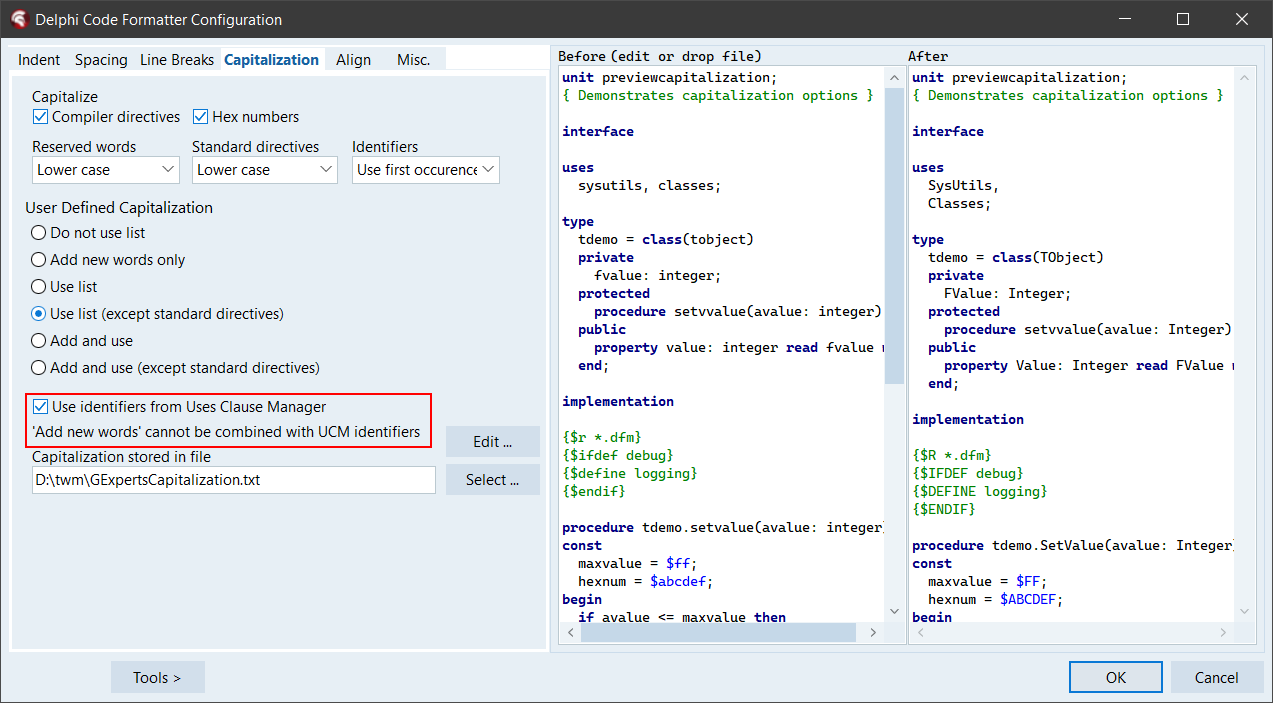 Screenshot: Code Formatter configuration dialog, Capitalization tab, showing the new “Use identifiers from Uses Clause Manager” checkbox
Code Proofreader
The Code Proofreader got the same treatment. Its Dictionary tab now also has a “Use identifiers from Uses Clause Manager” checkbox. When enabled, the proofreader will check each word you type against the UCM’s identifier list and correct the casing in real time, just like it already does with its dictionary and compiler-assisted corrections. Unlike those, the UCM lookup only does exact case-insensitive matching – no fuzzy matching for typos, just casing fixes. Also the other options take precedence of the UCM identifier list.
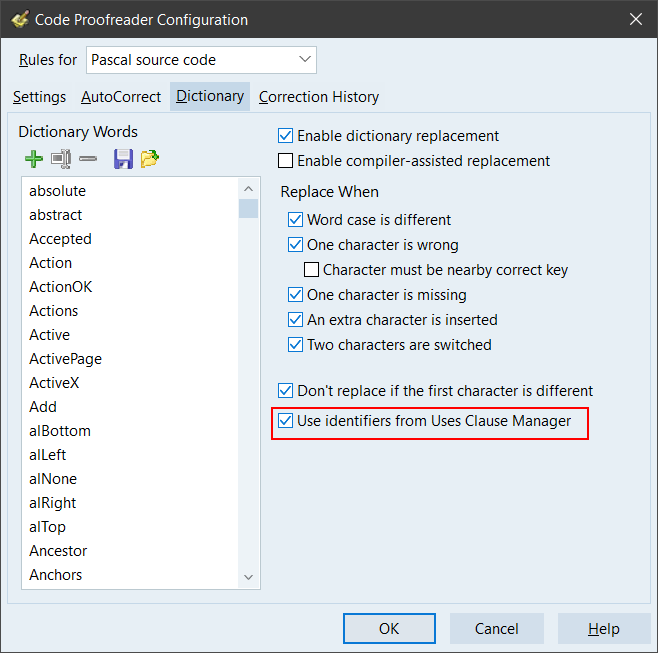 Screenshot: Code Proofreader configuration dialog, Dictionary tab, showing the new “Use identifiers from Uses Clause Manager” checkbox
How it works
Both experts use the same underlying mechanism: They call into the UCM and ask it to look up an identifier. The UCM searches its parsed list (using a binary search, so it’s fast) and returns the correct casing. If there are multiple units exporting the same identifier with different casing, identifiers from the Delphi RTL/VCL source take precedence.
One thing to be aware of: The UCM parses units in a background thread when the IDE starts. If you start typing right after opening a project, the identifier list might not be ready yet. In that case, the lookup simply does nothing. It will start working once the parsing is done.
Both options are disabled by default. You need to enable them in the respective configuration dialogs. And of course, the Uses Clause Manager expert itself must be active for this to work.
As usual, if you want to try this before the next official release, you can compile your own DLL.
Discussion about this in the corresponding post in the international Delphi Praxis forum.