Converting an existing form from a plain TMainMenu to a TMainMenu plus a TActionList is one of those jobs that is not difficult, just tedious: For every menu item you create an action, copy the caption and the shortcut over, move the OnClick handler to the action’s OnExecute, and then assign the action back to the menu item. Do that twenty times and you start wondering why the IDE cannot do it for you.
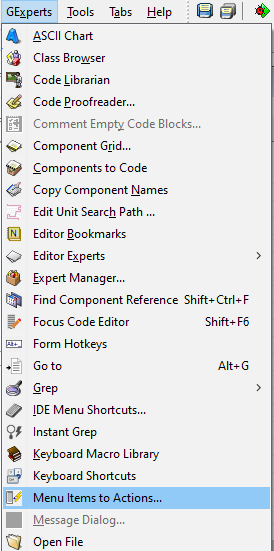
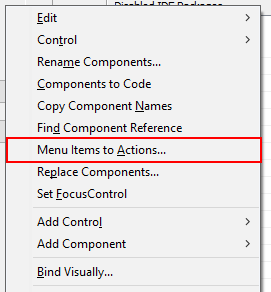
It can now, or rather GExperts can using the new Menu Items to Actions expert. It can be found in the GExperts menu and in the form designer’s context menu, and it works on the form that is currently being designed.
What it does
The expert looks at the form’s TMainMenu and, if you want, at all of its TPopupMenu components, and shows you a list of the menu items it can convert. That list is pre-filtered: An item only shows up if it has a name, is not a separator, has no submenu and does not already have an action assigned. Everything else could not be converted in a meaningful way anyway.
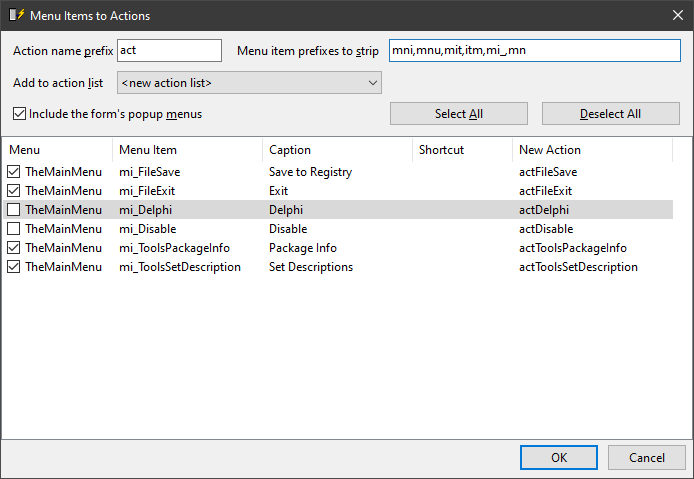
You tick the items you want, pick the action list they should go into (an existing one, or a new TActionList that the expert creates for you) and press OK. For every selected menu item the expert then creates a TAction which takes over the item’s
- Caption
- ShortCut
- Hint
- ImageIndex
- HelpContext
- Enabled, Visible and Checked state
- OnClick handler, which becomes the action’s OnExecute handler
and finally assigns that action to the menu item’s Action property. The existing event handler methods keep their names, so no source code apart from the form declaration is touched.
The names of the new actions
The action names are derived from the menu item names. The expert strips a prefix from the menu item name and prepends a different one. Both are configurable in the dialog itself, the defaults being mni,mnu,mit,itm,mi_,mi,mn for the prefixes to strip and act for the prefix to add:
mniFileOpen   ->  actFileOpen
mi_FileOpen   ->  actFileOpen
miFileSave    ->  actFileSave
FileExitItem  ->  actFileExitItem
A prefix is only stripped where it really is a prefix. A menu item called miscItem keeps its name and becomes actmiscItem rather than the rather unfortunate actScItem, because the letters after the mi do not start a new word. Names that are already used on the form are never reused, so nothing gets overwritten.
A pleasant side effect
Because the action receives the caption, the shortcut and the event handler before it is assigned to the menu item, the VCL’s action link considers those properties linked. The IDE therefore stops writing them to the DFM. A menu item that looked like this:
object mniFileOpen: TMenuItem
  Caption = '&Open...'
  ShortCut = 16463
  OnClick = mniFileOpenClick
end
ends up like this, with the caption, the shortcut and the handler now living in the action:
object mniFileOpen: TMenuItem
  Action = actFileOpen
end
That is exactly the result you would get by doing it by hand, only faster.
As usual, if you want to try this before the next official release, you can compile your own DLL.
Discussion about this in the corresponding post in the international Delphi Praxis forum.