GExperts stores its settings in the Windows registry, under a key that is specific to each installed Delphi version. Copying that configuration to another machine, or from one Delphi version to another, used to mean exporting registry keys by hand and editing them so they pointed at the right version and then importing them into the registry as described in a previous blog post. Tedious, and easy to get wrong.
The GExperts Configuration dialog now has Export … and Import … buttons on the Experts tab that take care of this for you.
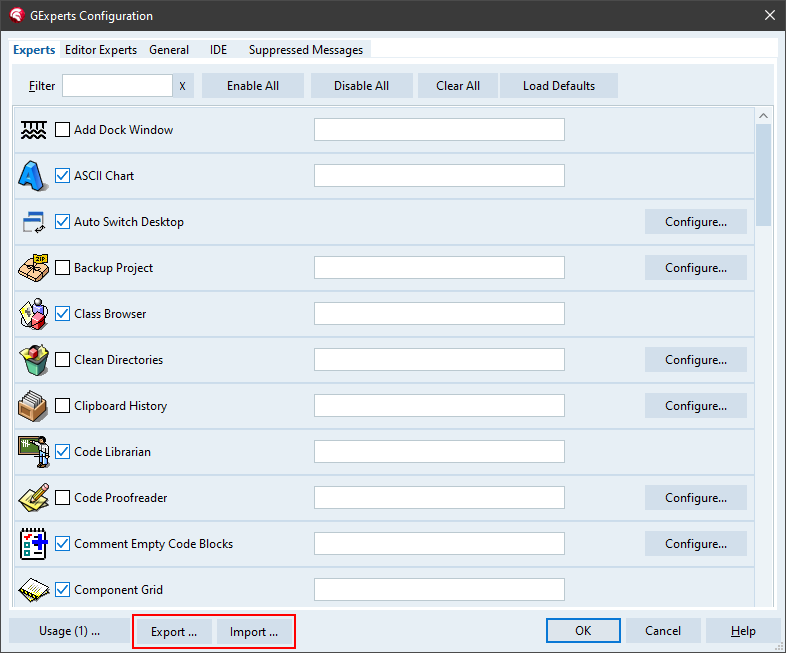
Exporting
Export … writes your complete GExperts configuration to a single ZIP archive. Note that this really is the whole configuration, including transient data such as window positions and recently used file lists, so it is a snapshot of your current setup rather than a curated subset.
Importing
Import … reads such an archive back. Rather than restoring everything blindly, it opens a dialog where you choose what to bring in, grouped into tabs for the experts, the editor experts and the general configuration. For each you can decide whether to import the enabled state, the keyboard shortcuts and the individual experts’ settings.
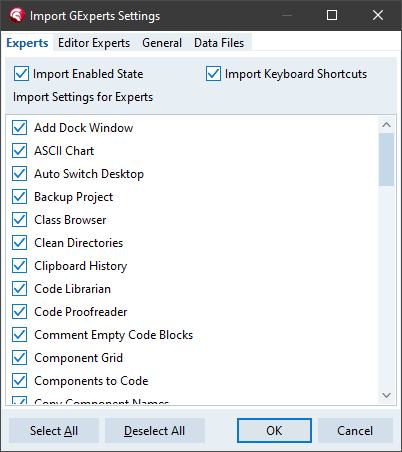
Because the archive can come from a different Delphi version, the four IDE-version-dependent paths (VCL source path, configuration path, caching path and help file) are listed as separate entries that are unchecked by default. That way, importing a configuration exported from another version does not overwrite the paths that are correct for the target IDE.
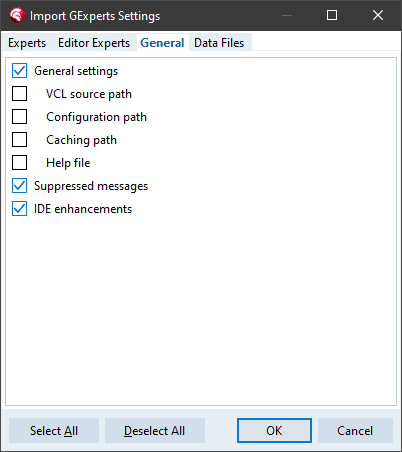
Imported settings take effect immediately. There is no need to restart the IDE.
Expert data files
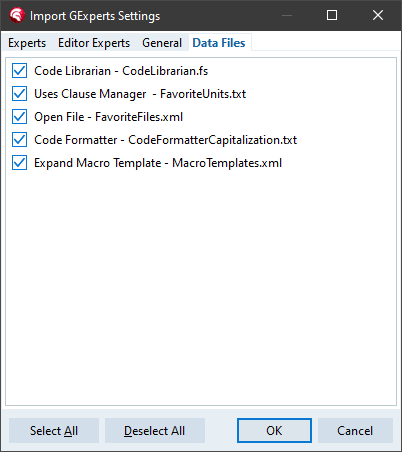
Not all of GExperts’ data lives in the registry. Several experts keep their information in files (XML, plain text or INI) in the configuration folder. The archive now bundles these as well, so an export/import round-trip no longer loses them. The experts concerned are Favorite Files, Code Librarian, Code Proofreader, Macro Templates, Clipboard History, Grep history, Project Option Sets, Replace Components, the Uses Clause Manager favorites, Convert Strings and the Code Formatter capitalization file.
On import these files appear one per entry on a separate Data Files tab, so you can pick exactly which ones to restore. They are stored in the archive under version-independent names and restored to the target IDE’s own configuration folder, so they too round-trip correctly between Delphi versions. And because overwriting an existing data file could throw away work, GExperts asks for confirmation first, with the usual Yes / Yes to All / No / No to All choices.
The implementation lives mostly in GX_ConfigExportImport.pas.
As usual, if you want to try this before the next official release, you can compile your own DLL.
Please note that I could only test this new functionality superficially. There are likely to be bugs. If you find any, please file a bug report.
Discussion about this in the corresponding post in the international Delphi Praxis forum.