TxtCipher started as a small web-based replacement for TxtCrypt, a macOS (and previously also Android) tool that encrypts short pieces of text with RC4 and Base64. RC4 is well past its prime by modern standards, but it was good enough for the original use case: Encrypt a password or PIN in Denkzettel which is unlikely to get lost, but just in case …
Staying byte-compatible with TxtCrypt is still a non-negotiable feature, so RC4 is not going anywhere. But for new data, where interop with TxtCrypt is not required, there is no good reason not to use something state of the art. The latest release adds AES-256-GCM as a second encryption mode, selectable via a small toggle in the header.
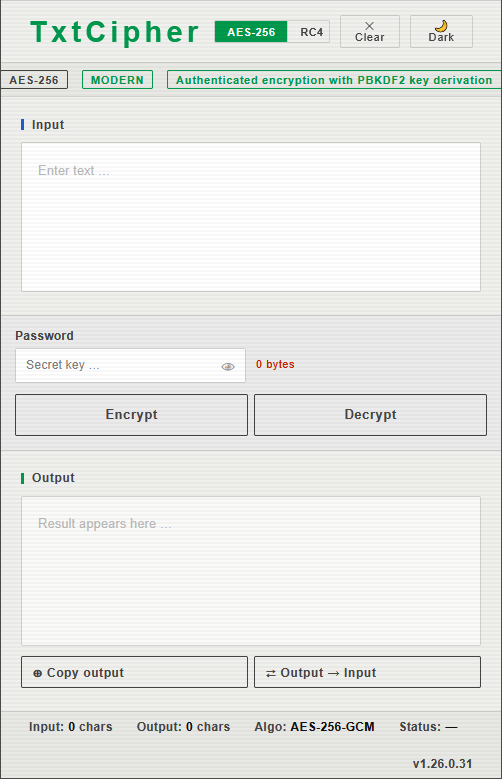
The tool switches its layout depending on the browser window size. This is the mobile view …
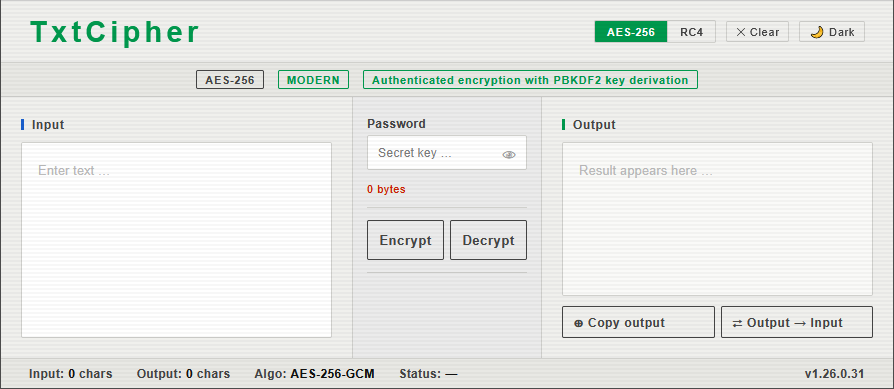
… and this is the desktop view …
What AES-256-GCM brings to the table
- Authenticated encryption. Unlike RC4, AES-GCM produces a 16-byte authentication tag alongside the ciphertext. If anyone tampers with the encrypted data, or you type the wrong password, decryption fails loudly instead of silently returning garbage.
- Proper key derivation. The password is run through PBKDF2 with SHA-256 and 100,000 iterations, using a fresh 16-byte random salt per message. That turns even a short password into a full 256-bit key and makes brute-force attacks considerably more expensive.
- Random IV per message. A fresh 12-byte IV is generated for every encryption, so encrypting the same text twice with the same password gives you two completely different ciphertexts.
- No key length limit. The RC4 mode still warns about passwords longer than 8 bytes (matching a quirk of the original Objective-C implementation). AES-256 happily takes any password length.
The wire format
The output of AES mode is a single Base64 string that packs everything the decrypter needs:
salt (16 bytes) || iv (12 bytes) || ciphertext || gcm tag (16 bytes)
There is no version byte or header. The mode you decrypt with has to match the mode it was encrypted with, and the toggle in the UI controls both. That keeps things simple and keeps the ciphertext as short as possible, which matters when you are pasting it into a chat message.
Implementation notes
The whole thing is still a single self-contained HTML file with no build step and no external dependencies. AES-GCM and PBKDF2 are both part of the Web Crypto API, which is available in every current browser, so there is no JavaScript crypto library to ship or audit. The AES path is async (Web Crypto returns promises), which required making the main run() handler async and catching OperationError to detect wrong passwords.
The info bar that used to show the “TxtCrypt compatible” badge now swaps its contents based on the selected mode, showing either a “MODERN / Authenticated encryption with PBKDF2 key derivation” line for AES or the familiar TxtCrypt compatibility link for RC4. Its height is fixed so the layout does not jump when you toggle.
When to use which
Use RC4 when you need to exchange text with someone running the original TxtCrypt on macOS, or with an older copy of TxtCipher. Use AES-256-GCM for everything else. The toggle makes it a one-click decision.
To use the tool, all you need is a single html page, which you can host yourself or just open directly from the svn repository on sourceforge. If you do the latter, you will always get the latest version, just in case I update it.