RSS Show started out as an experiment in Vibe Coding and evolved into a usable tool.
What is RSS Show?
RSS Show is a single-file RSS feed reader that runs entirely in your browser. No installation, no build process, no dependencies – just open an HTML file and you’re reading feeds. Due to the enshittification of “Social” media, RSS is again the best way to consume content on your own terms.

There is a more comprehensive description on its own page.
The Vibe Coding Approach
I started this project using AI chat interfaces – primarily Claude.ai and Mistral’s LeChat. The idea was simple: describe what I wanted, let the AI write the code, iterate on it.
The approach worked surprisingly well. I’d describe a feature – “add drag and drop to reorder feeds” or “remove pictures from the feed” – and the AI would generate working code.
Later in the project, I switched to Claude Code, which made the workflow even smoother (but costs a monthly fee). Instead of copying code back and forth, I could work directly in the repository with version control integration.
Key Features
What started as a basic feed reader grew over time:
Feed Management
- Grid layout with 1-8 configurable columns
- Drag and drop reordering
- Per-feed auto-refresh intervals
- Custom titles and filters
Privacy & Performance
- Automatic removal of tracking pixels and media elements
- No analytics, no tracking
- All data stays in localStorage
- Configurable CORS proxy support
Easy Sharing of Feeds
- One-click sharing via dpaste.com with QR codes
- URL parameter for instant feed list import
- Scan a QR code, import feeds automatically to your mobile
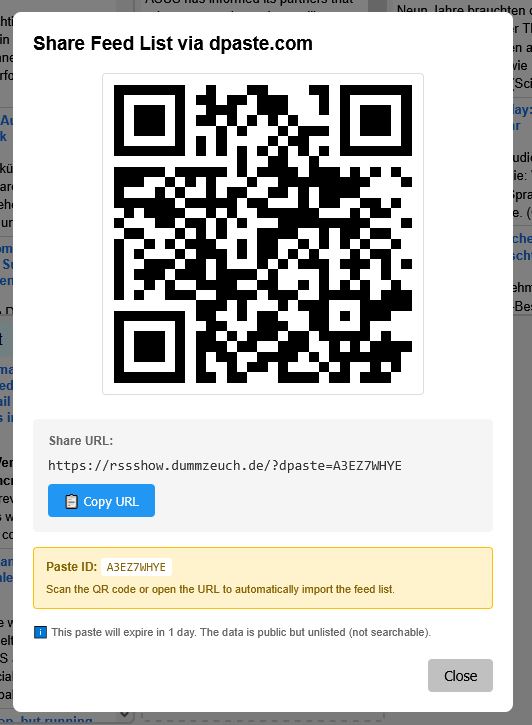
(Note: The QRCode in the screen shot will work for one day, afterwards the text on dpaste.com will have been deleted.)
The Single-File Philosophy
I’m not a web developer, but most introductions I have read start with: Install Node.js, set up a build system, configure bundlers, manage dependencies… I didn’t want that complexity. RSS Show is one HTML file with inline CSS and JavaScript. You can email it, put it on a USB drive, or host it on any web server. It works from file:// URLs, directly from the subversion repository or from rssshow.dummzeuch.de where I simply uploaded the html file as index.html
This constraint – keeping everything in one file – actually made working with AI easier, in particular while I was still using the chat interfaces. The entire fits in a single context window. The AI can see how everything connects, suggest changes that account for the whole system, and avoid breaking distant dependencies. And I could simply switch to a different AI chat when I hit the daily limit.
What I Learned
AI coding works. When I started out I had my doubts about that new fangled “Vibe Coding” thing. I had tried to use AI chat interfaces for various purposes but it failed consistently by giving me wrong information or even making it up entirely. Oddly enough, it seems to work much better for code generation. Maybe that’s because there isn’t as much broken code on the Internet as there is wrong information.
Iteration over planning. I never wrote a requirements document or feature roadmap. Features emerged from using the tool. “This feed contains annoying pictures” led to automatic removal of pictures and later on any media and even tracking pixels. “I want to share my feed list to other devices” led to dpaste integration (Claude Code actually suggested using dpaste, I had never even heard about it, but the QR code with the automatic import via url was my idea. “We” even tried to put the whole file content into a QR code, but scanning didn’t work reliably enough for this).
Simple tools can compete. RSS Show does less than Feedly or Inoreader, but it does what matters: show me my feeds, mark things as read, stay out of the way. This is exactly what I need. And it keeps my data private.
Try It Yourself
RSS Show is open source and available on SourceForge. Download the single HTML file, open it, add your feeds. No account required, no server needed, no tracking. Alternatively you can put it on your own server or just use rssshow.dummzeuch.de.
RSS Show is available on SourceForge. The source is contained in a single rssshow.html file. Contributions and feedback welcome.